
For sales: Analytics on Destination level
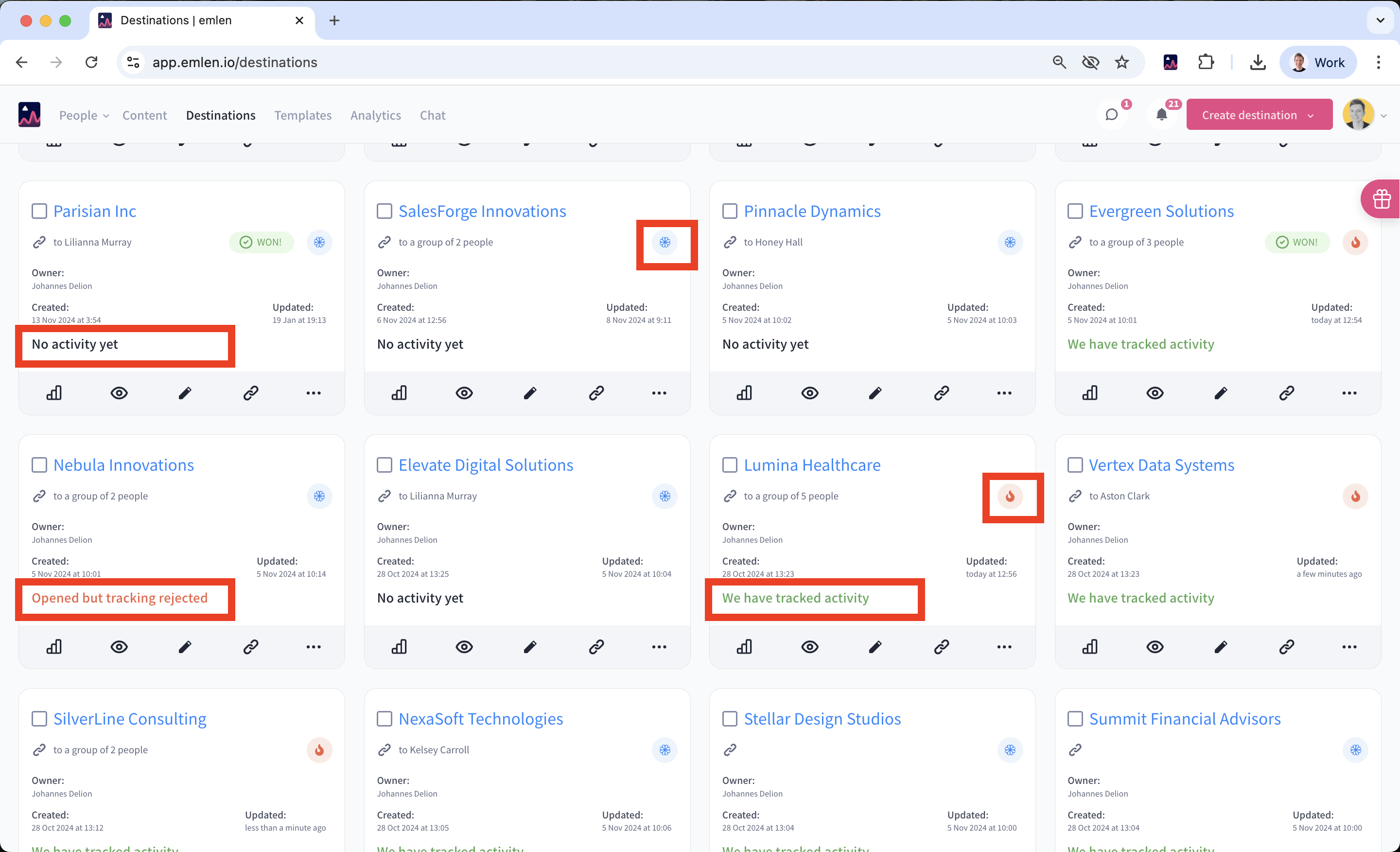
In the Destination overview, you can see all the Destinations created by you or your team. Use this view to manage and prioritize your leads / deals. There are three activity statuses:
- No activity yet: The Destination hasn’t been visited
- Opened but tracking rejected: The Destination was visited, but tracking was declined. No further analytics will be collected
- We have tracked activity: The Destination was visited, and tracking was accepted. Analytics will be collected
Destinations with high recent activity are marked as “hot” (🔥), while those with no activity in the last 14 days are “cold” (🥶).
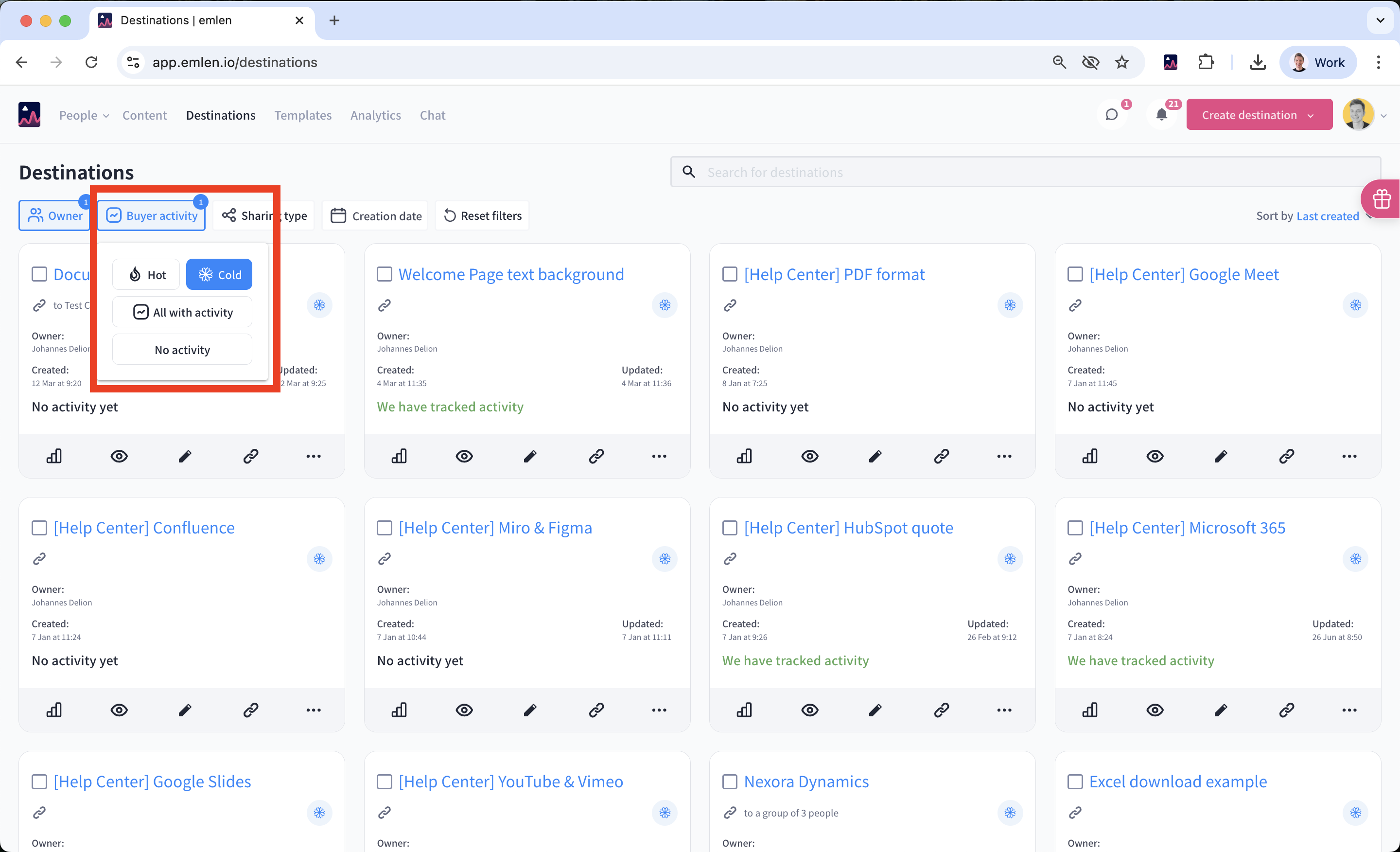
You can filter Destinations based on buyer activity to prioritize your focus. For example, look for:
- Buyer activity = Hot: Focus on those
- Buyer activity = Cold: These may need follow-up
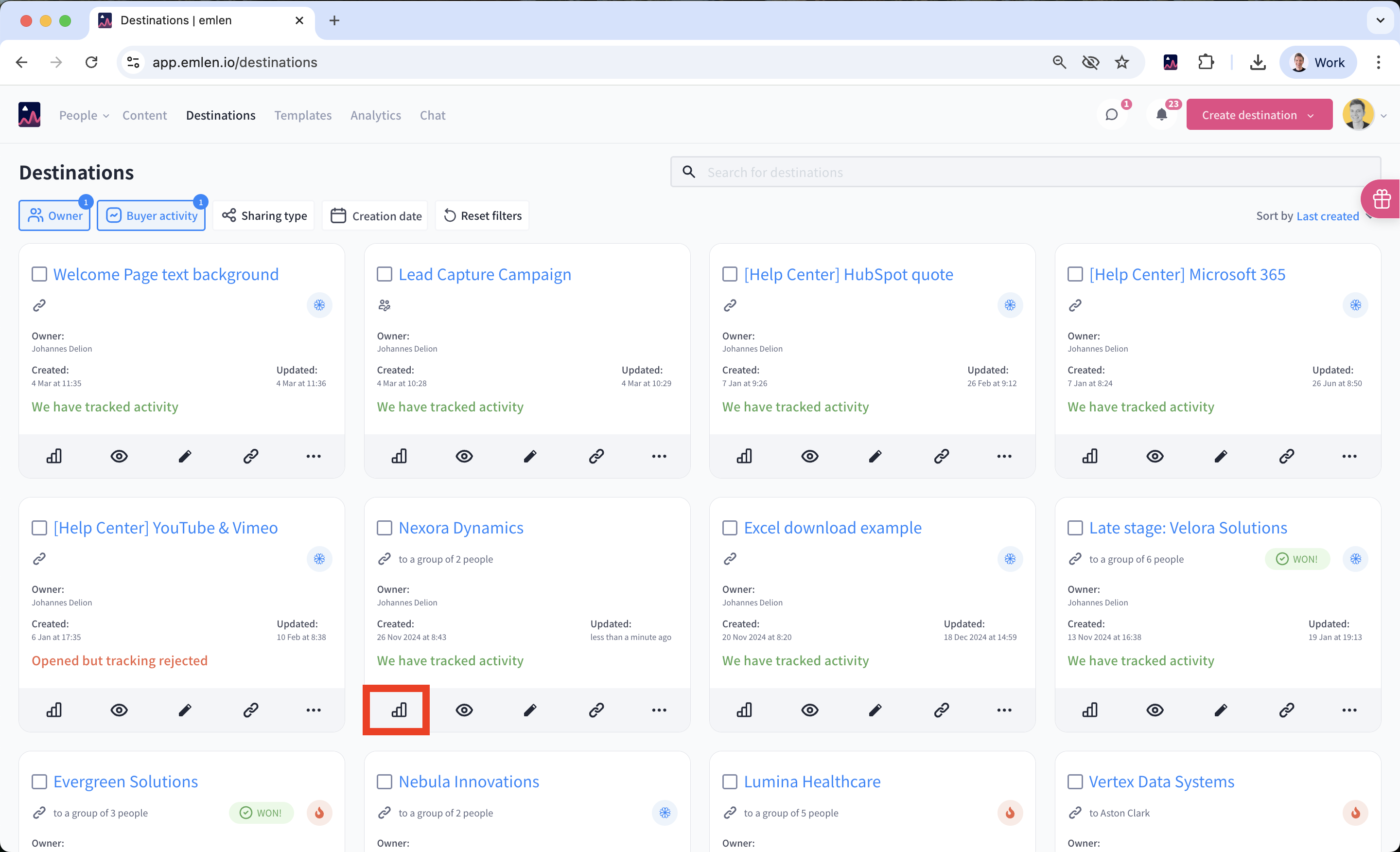
For Destinations with tracked activity, click on them for deeper analytics.
You'll see:
- Visits: Total visits (only where tracking was accepted)
- Total time spent: Total time spent in the Destination, shown in mm:ss (changes to hh:mm:ss if over an hour)
- Total content views: Total number of content views
- Downloads: Number of content downloads
- Invites: Number of invites sent through the “Invite others” button
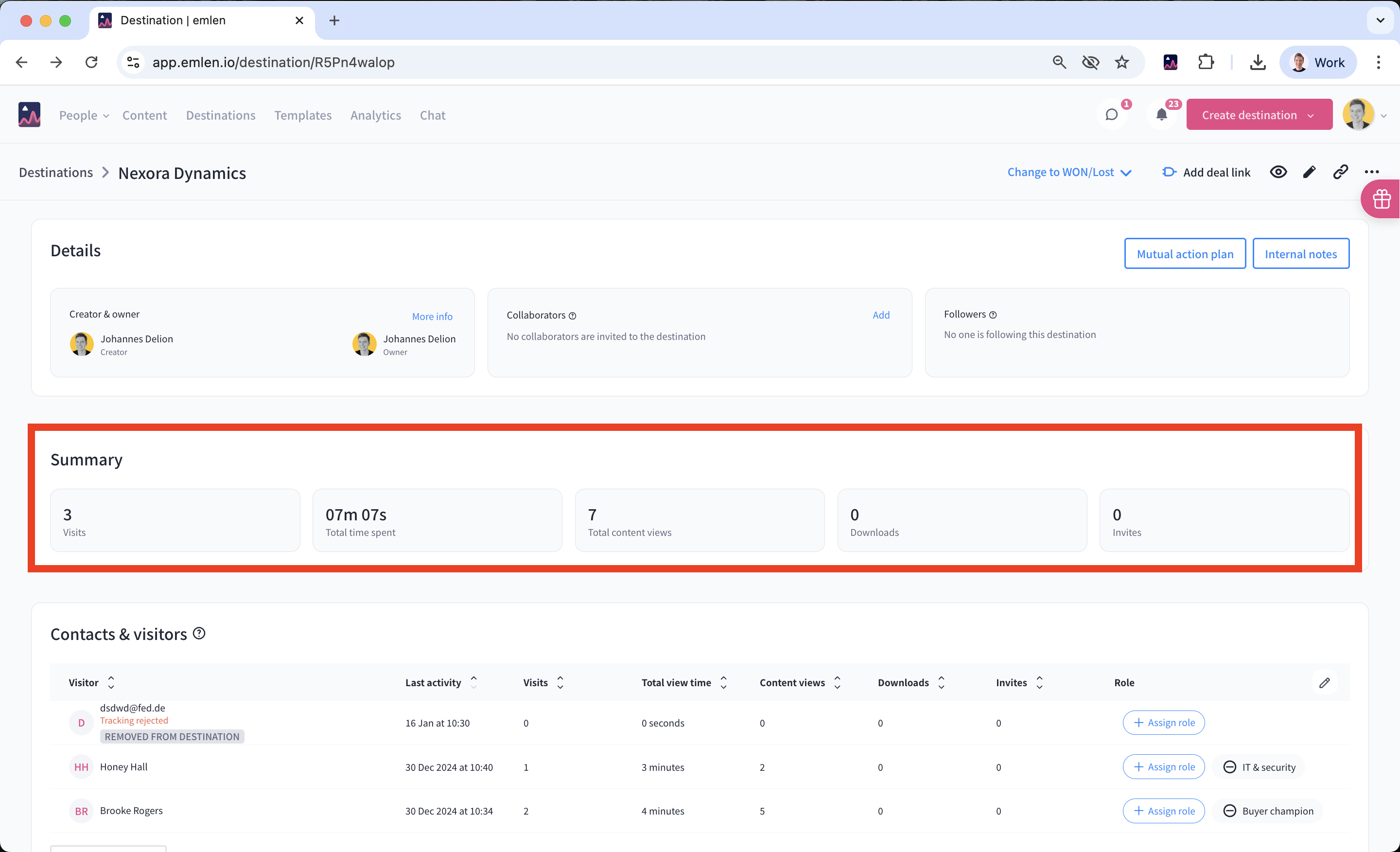
Below, you can view engagement metrics broken down by contacts as well as the activity timeline. The later one you can filter by contact and engagement event.
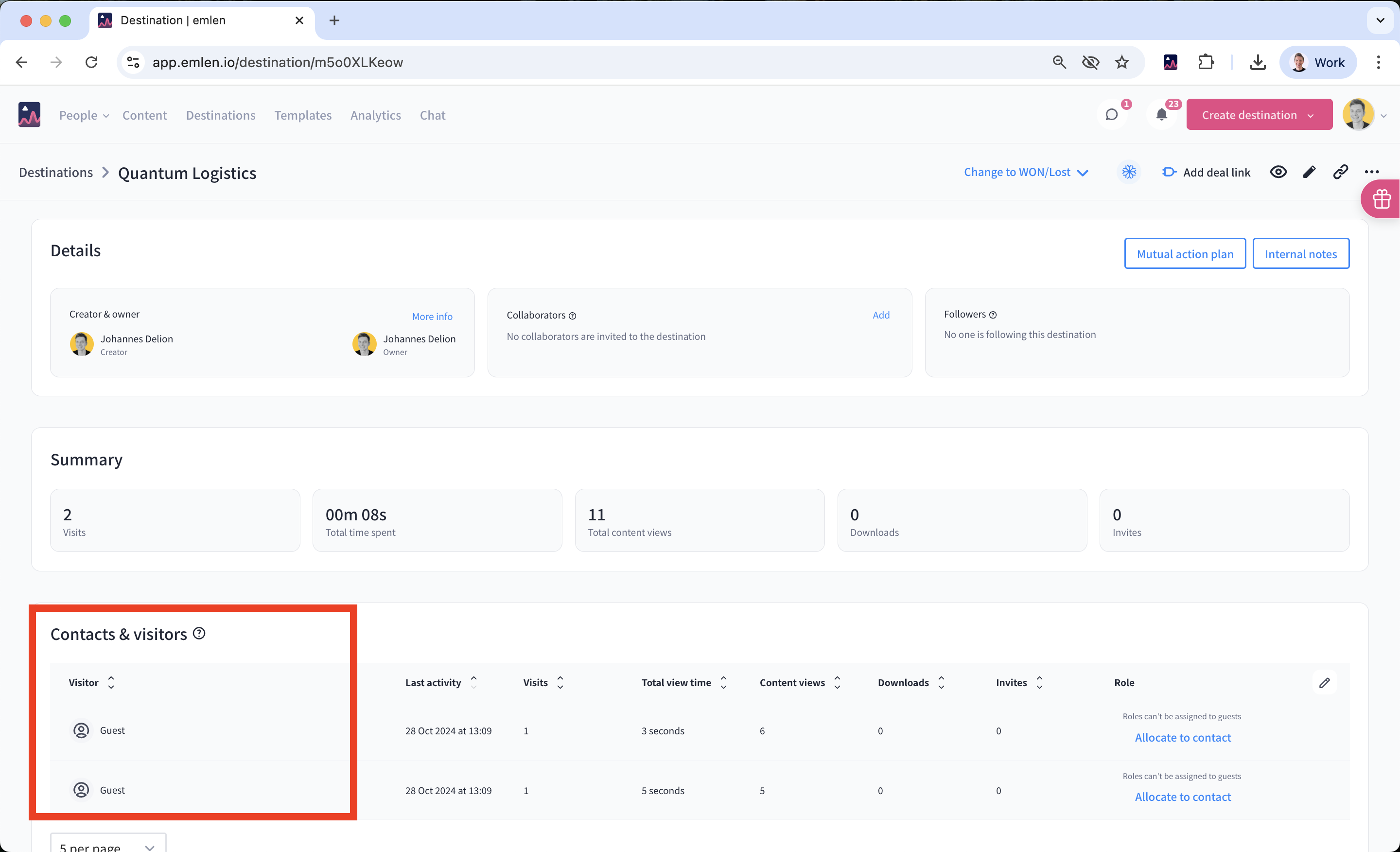
Keep in mind that only verified contacts will be named here. You can enforce contact verification using this setting:
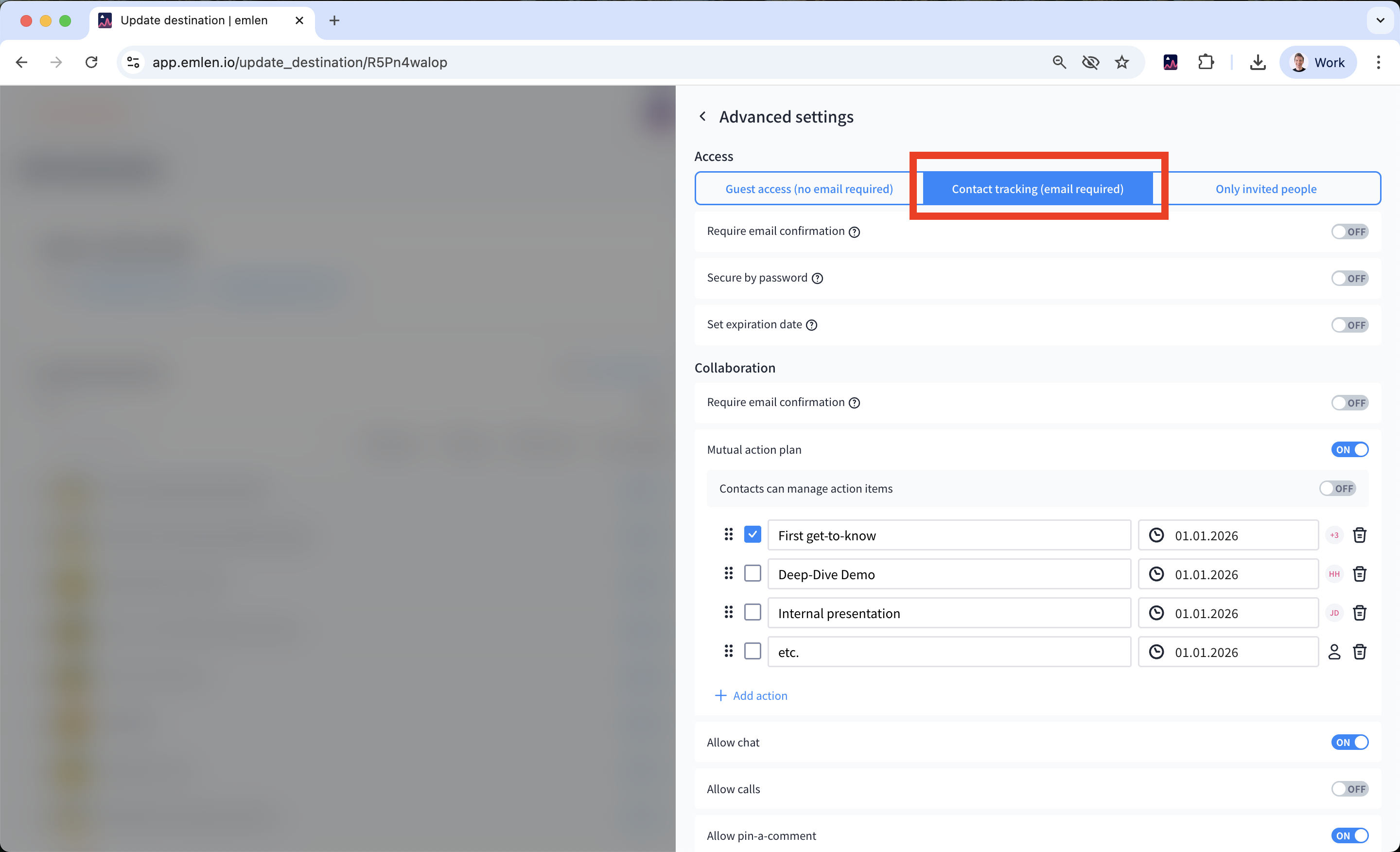
If you choose “Guest access” (which does not require email verification), you will see guest visits:
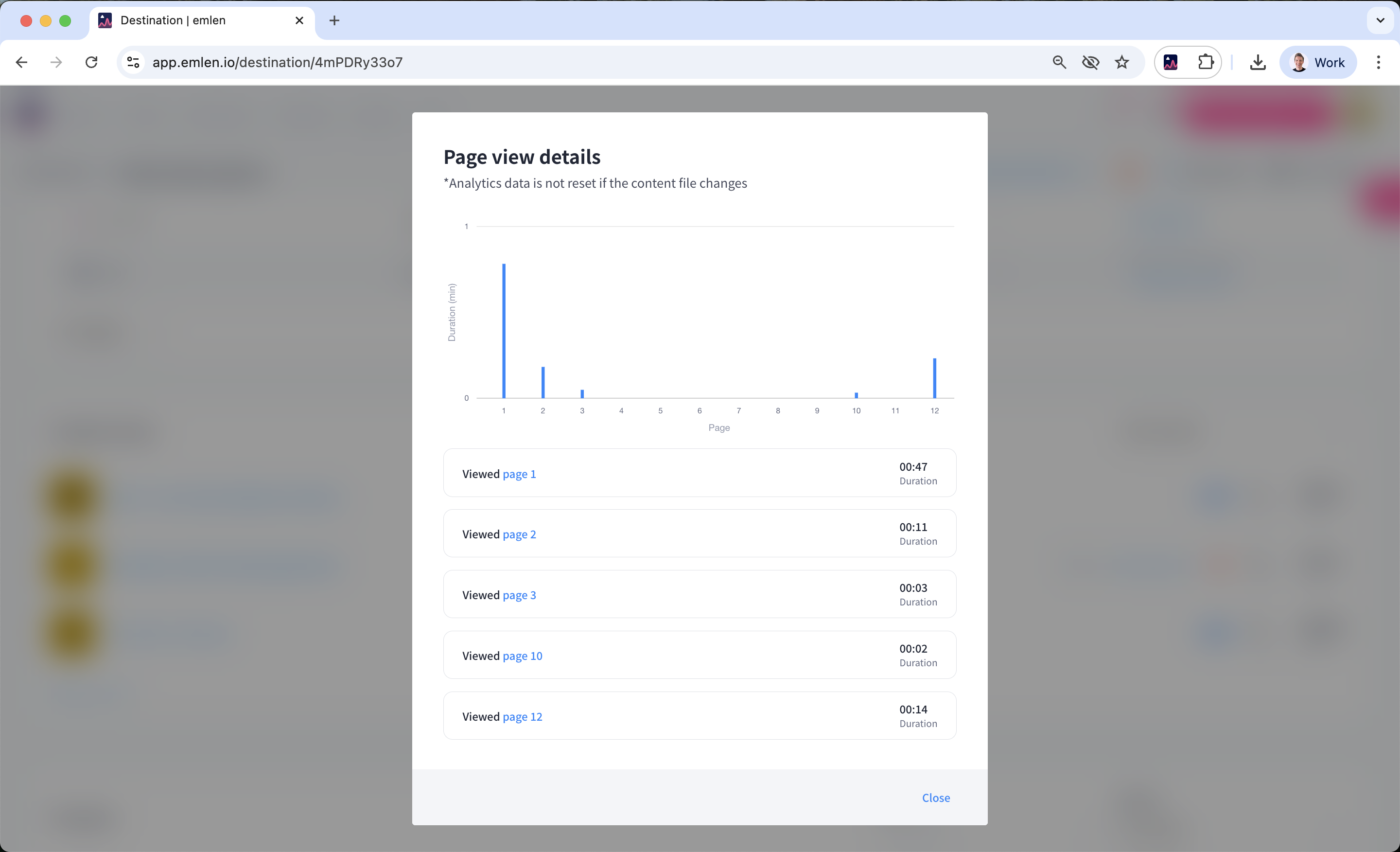
You can click on individual contacts to view detailed analytics for a specific contact. Click on "Show page views" for PDF documents to understand which pages are most relevant for your buyers.
📌 Summary & important to remember:
- emlen tracks analytics only if the contact accepts the cookie disclaimer
- To see contact-level analytics, enable email verification by choosing “Contact tracking” or “Only invited people” in the template / Destination settings
- When sharing the Destination with a single contact (e.g., during early-stage sales development), you can skip email verification since you can be sure that "Guest" is the intended recipient
- To test analytics, open the Destination in Incognito mode (emlen won’t track analytics you if you’re logged in)