
Integrate your PandaDoc offers in emlen
Adding a PandaDoc quote to your emlen destination
You can embed a PandaDoc quote directly into an emlen destination, so your customer views - and even signs - the quote inside the same personalized space as the rest of your content. This guide walks you through it step by step.
Step 1: Copy the recipient link in PandaDoc
Open your quote in PandaDoc and open the Share link dialog. Each recipient has their own unique link. Click Copy next to the recipient who should sign the quote (the signer).
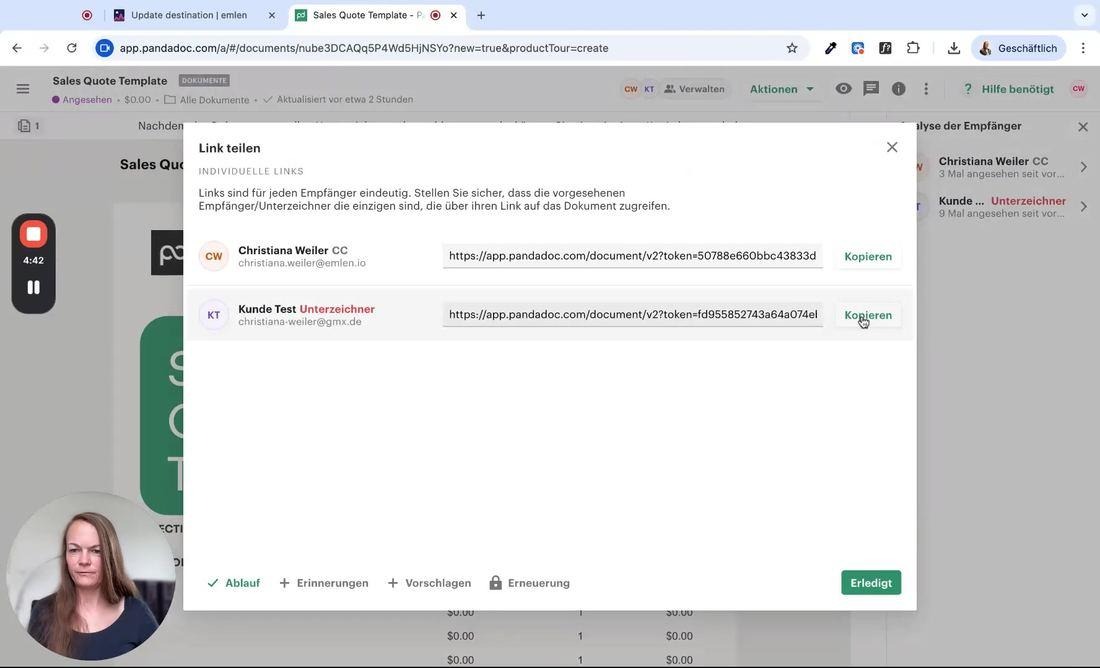
Tip: Always copy the individual recipient link rather than the generic document URL. This gives your customer their own personalized view and lets them sign directly.
Step 2: Open your destination and add customer-specific content
Switch to emlen and open the destination in edit mode. In the Content to distribute panel, click Add customer-specific content.
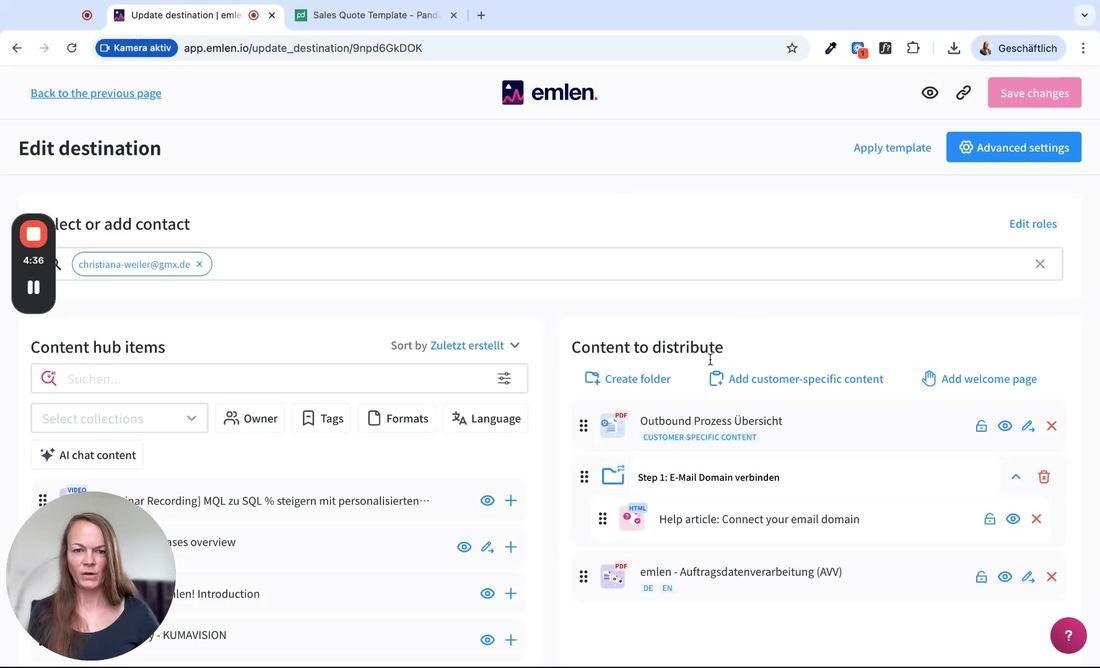
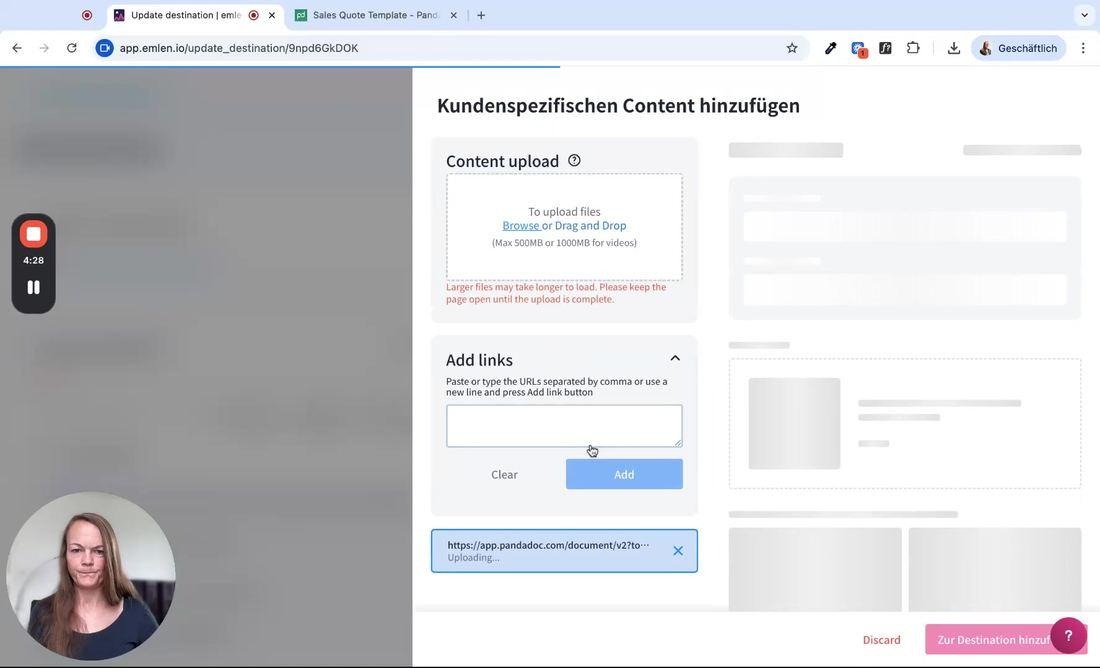
Step 3: Paste the PandaDoc link
In the panel that opens, expand Add links, paste the PandaDoc link you copied into the field, and click Add.
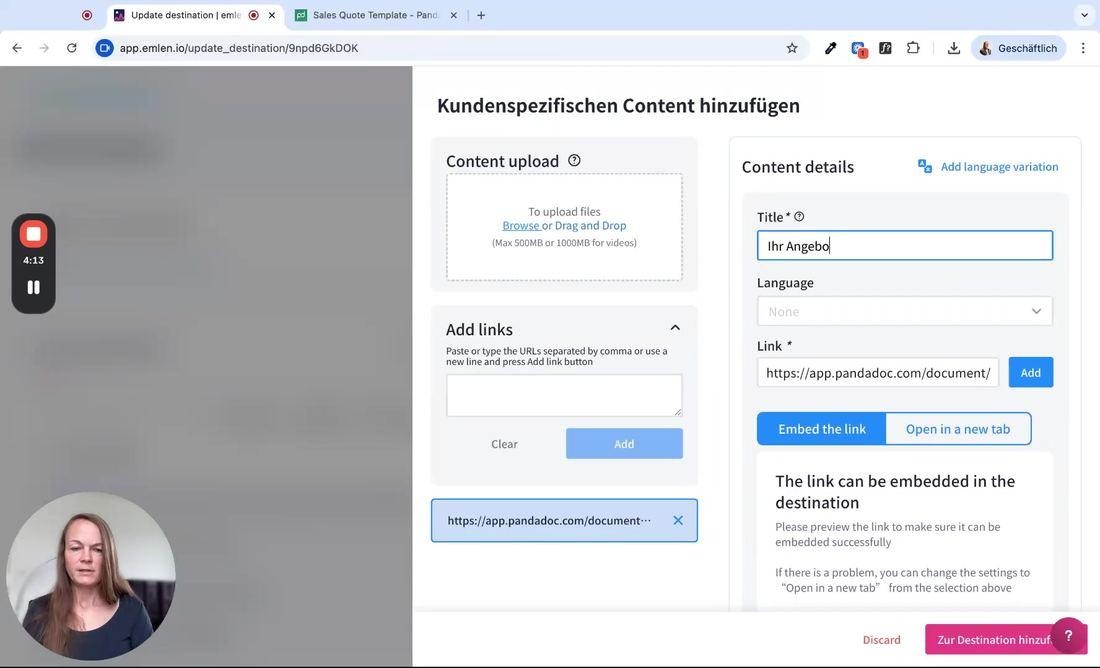
Step 4: Set the content details
In Content details, give the quote a clear Title — for example, “Your quote” — so your customer recognizes it instantly. Keep Embed the link selected so the quote opens inside the destination. Optionally set a thumbnail, language, or expiration date.
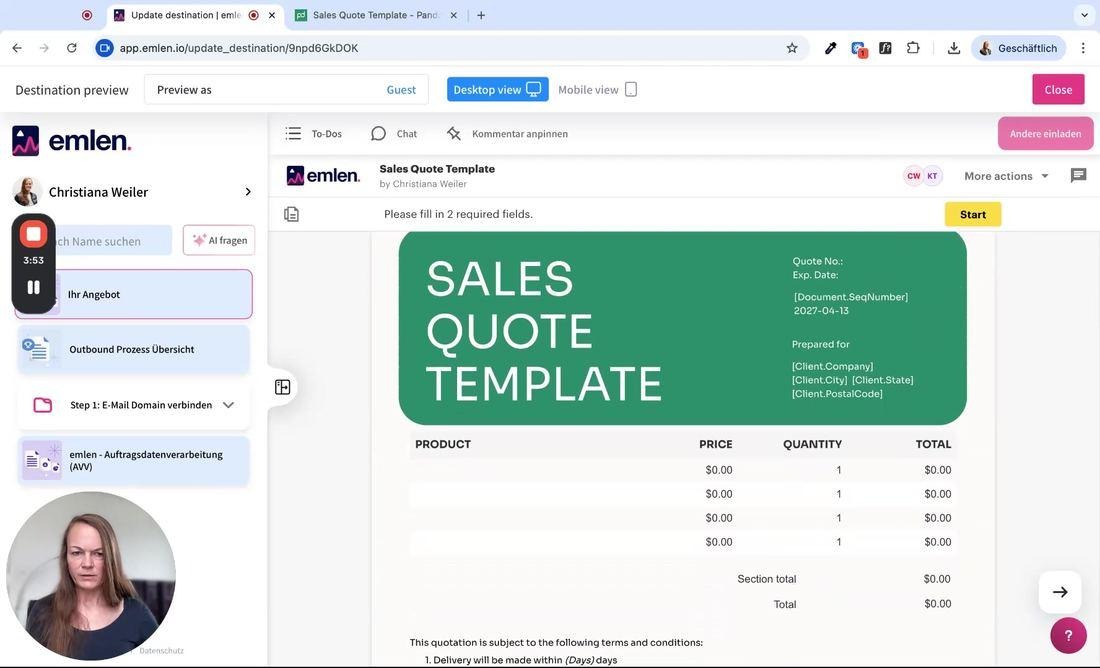
Step 5: Preview - your customer can view and sign
Open the Destination preview to see what your customer sees. The quote is embedded right in the destination, and the customer can read it and complete the required fields — including signing — without ever leaving emlen.
Good to know
- Use the signer’s individual link from PandaDoc so the customer gets their own personalized, signable view.
- Preview before sharing. Some links can’t be embedded; the preview tells you right away, and you can switch to “Open in a new tab”.
- Thumbnail, language and expiration date are optional — set them to make the content clearer or to have it expire automatically.
- Remember to save. Your changes only go live once you click “Save changes”.